Reserved Inventory is a quantity you set on a product in ShipHero to hold units back from your sales channels. Teams typically use it to prep for flash sales, VIP drops, or to keep stock on hand for returns/exchanges.
When & Why to Use Reserved Inventory
- Flash sale prep: hold units so they don’t sell out before a campaign.
- Returns & exchanges: guarantee replacement stock.
- Ops buffers: temporarily “hide” units from storefronts during audits or transitions.
How to Set Reserved Inventory
- Open the Products dashboard in ShipHero.
- Select the product you want to reserve inventory for.
- On the product detail page, set the Reserved amount to your desired value and save.
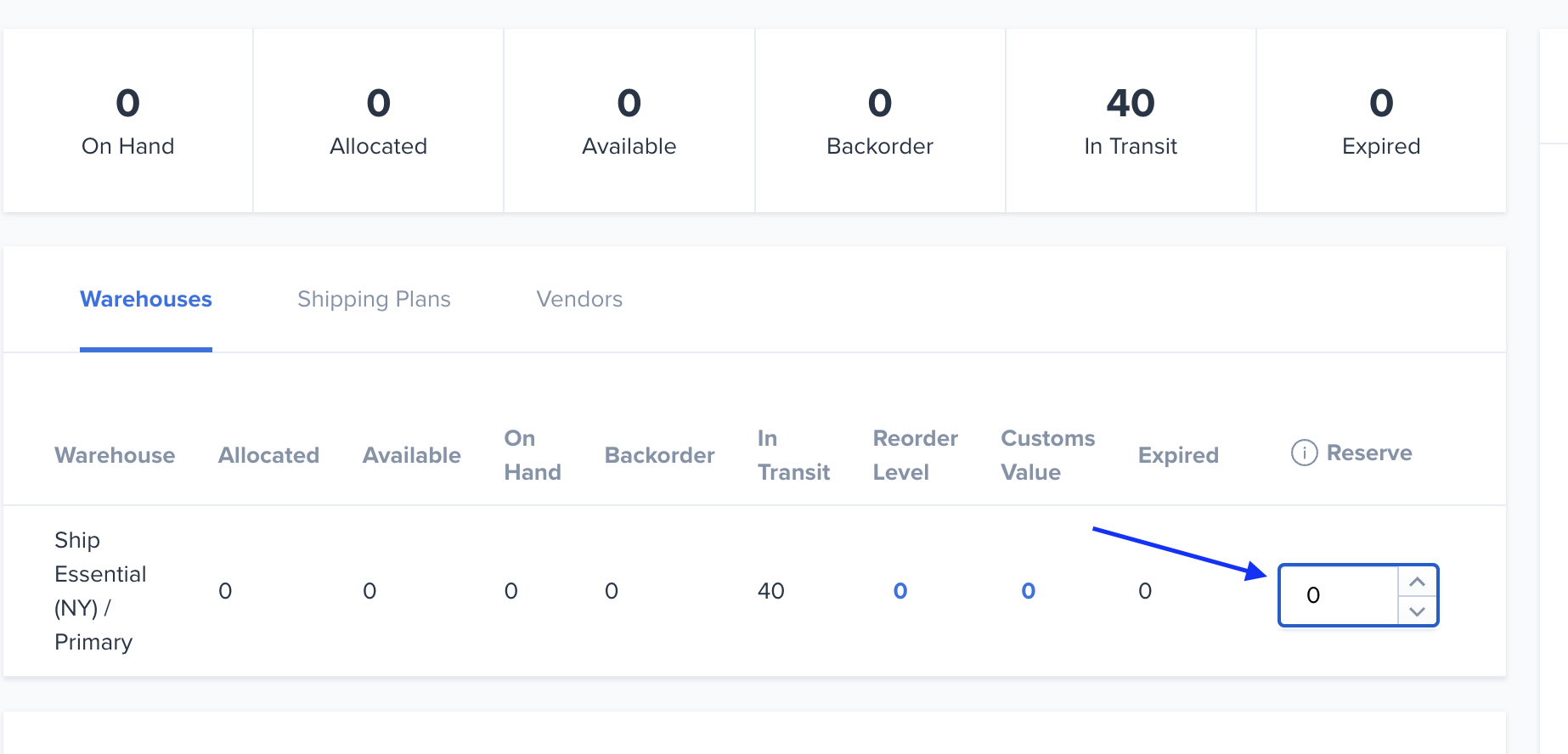
Tip: Positive numbers reduce the quantity published to sales channels. Negative numbers will increase the published quantity (use with caution).
How “Available” Is Calculated
ShipHero uses two “Available” calculations—one inside the app and one for the quantity published to your sales channels.
In the ShipHero app (internal):
On Hand − Allocated − Backorder + Sell Ahead = Available (internal)
Note: Reserved is not included in the internal Available calculation.
For your sales channels (published):
On Hand − Allocated − Backorder + Sell Ahead − Reserved = Sales Channel Available (published)
Note: Reserved is included here and directly reduces what your store shows as available for sale.
Example:
On Hand = 500, Allocated = 120, Backorder = 30, Sell Ahead = 50, Reserved = 80
Internal Available = 500 − 120 − 30 + 50 = 400
Published Available = 500 − 120 − 30 + 50 − 80 = 320
On Hand = 500, Allocated = 120, Backorder = 30, Sell Ahead = 50, Reserved = 80
Internal Available = 500 − 120 − 30 + 50 = 400
Published Available = 500 − 120 − 30 + 50 − 80 = 320
Important Notes
- Manual orders: Reserved inventory is not enforced when placing manual orders in ShipHero.
- Sales channel sync: Reserved inventory is enforced in the quantity published to your sales channels and Inventory Sync is turned on.
- Negative reserved values: Using a negative number increases the quantity published to sales channels. Only use if you fully understand the impact on sellable stock.